1. Intake
The ticket lands in your tracker. Anyone can write it: there are plain-language templates to report a problem, request something new or change something that already exists.
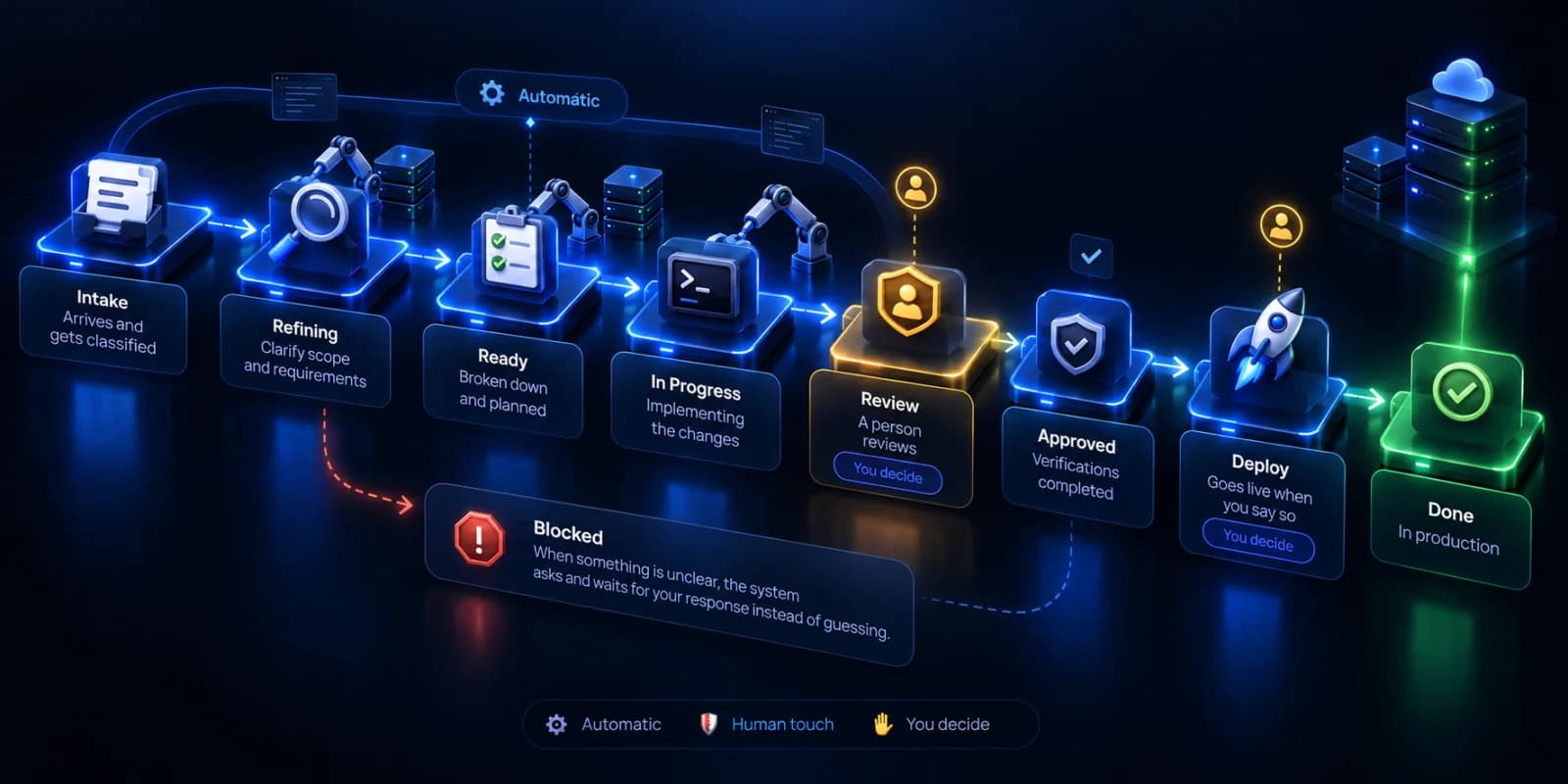
From a ticket written in plain language to a deployed change, with the human stops you decide on. This is what happens in between.
Nine states, each with someone responsible for it. The engine moves forward on its own except where you placed a gate.
The ticket lands in your tracker. Anyone can write it: there are plain-language templates to report a problem, request something new or change something that already exists.
An agent reads the ticket and explores your code in read-only mode. It decides whether the ticket is ready to implement, rates its complexity and determines which components it touches and in what order.
If something is ambiguous, the ticket blocks and asks. Numbered questions, in plain language and with concrete options, stating what it did understand as well. It never asks what it can find out by reading the code.
An agent works on an isolated branch: it writes the code, runs your project's tests and build, fixes what breaks and adds the tests the change needs.
The change proposal opens with the work finished. If there are conflicts on integration, they are detected and explained in the ticket in language you can understand.
The ticket waits for a person. This stop is not made by a model: the quality review is yours, and nothing moves forward without it.
You decideOnce the change is approved, you decide when it ships. Promotion to production is a human decision, not an automatic one.
You decideThe branch is promoted to production and the ticket closes. Your own continuous integration system still does the deployment: there is nothing to migrate.
A system that works on its own has to know when to stop.
If a ticket fails several times in a row, it stops trying and asks for human review. When a person unblocks it, the counter resets.
If the agent produced no real change, the ticket blocks instead of being treated as done.
If your review rejects the work, the retry runs on a higher-capability model instead of repeating the same thing.
You answer the question by commenting on the ticket, through Telegram or from the portal, and the work continues from the exact phase where it stopped.
The status of every ticket, the queue of what is waiting on you, the spend per run and the work history.
Email and Telegram when something blocks or is ready for your review, in your project's language.
Every run records which model was used, how many turns it took and how much it cost. The full transcript is kept for ninety days and then deletes itself.
A cap per ticket, a daily cap and a maximum number of tickets per day, in your time zone. When your limit coexists with ours, the more restrictive one wins.
The fastest way to understand it is to watch it work on your own code.